Your work deserves its own page.
Add a Portfolio page to your Leenkies site and give your visual work a permanent home, separate from your links, shop, and bio, at its own URL.
 Portfolio
 Gallery
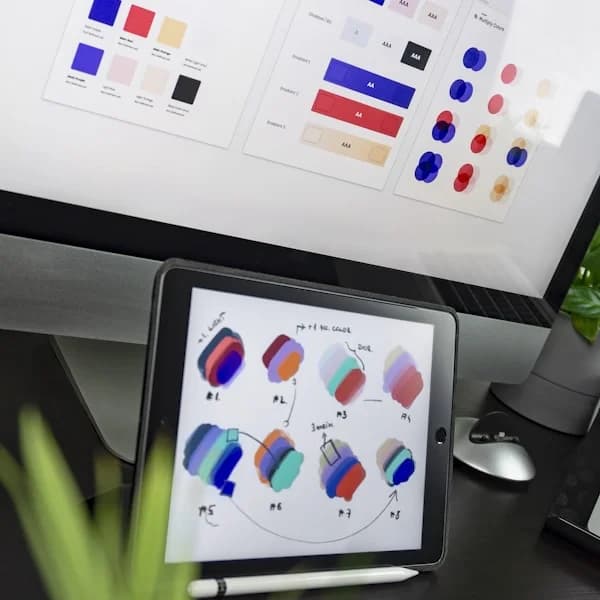 Design Work
 Projects
A dedicated portfolio page
Your portfolio lives at leenkies.com/yourusername/portfolio with its own URL and content, completely separate from your Home, About, and Shop pages.
Visual-first layout
Add image galleries, rich media, and visual content blocks without cluttering your home page. The Portfolio page is built for showcasing work.
Part of your complete site
Visitors can browse your portfolio and navigate straight to your Shop or booking block from the same site. No separate platform to manage.
Publish or hide anytime
Toggle your Portfolio page on or off without deleting any content. Use it seasonally, or turn it on once you have enough work to show.
How it works
Activate your Portfolio page
Turn on the Portfolio page from your settings. It gets its own URL at leenkies.com/yourusername/portfolio and appears in your site navigation automatically.
Build it with content blocks
Use image, rich text, and media blocks to lay out your portfolio. Arrange them in whatever order suits your work. No design skills needed.
Share it and let your work do the talking
Share your main Leenkies link and visitors can navigate to your portfolio from there. Or share the direct portfolio URL when pitching to clients or applying for opportunities.
Who it's for
Built for professionals.
Photographers
See Photographers use case →A gallery page for your work, linked directly to your booking block. Clients can view your portfolio and book a session without leaving your site.
Artists & designers
See Artists & designers use case →Showcase your work in one place instead of sending clients to Behance, Dribbble, and Instagram separately. One link, one portfolio.
UGC creators
See UGC creators use case →Display your content samples and past brand work in a clean portfolio that lives alongside your rate cards and contact form.
Freelancers
See Freelancers use case →Show proof of work alongside your services and contact form. Clients can go from viewing your portfolio to reaching out in seconds.
Frequently Asked Questions
Is the Portfolio page separate from my home page?
Do I have to use all four pages?
Can visitors navigate between my pages?
Can I share the portfolio URL directly with clients?
Is this like Behance or Dribbble?
Leenkies.
Build your page free, with no time limit. Upgrade to Pro when you start selling.
Get Started FreeNo card needed · No time limit